
An iPhone app that finds your language mistakes in recorded conversations
LanguageCoach records the conversations you hold in the language you are learning. Speech is transcribed on your device, then each sentence comes back with what was wrong, what the correct version is, and why. You do not set aside time to practise; you record the meeting or the chat you were having anyway.
iPhone, iOS 17 or later. The free tier records 5 minutes a day.
How it works
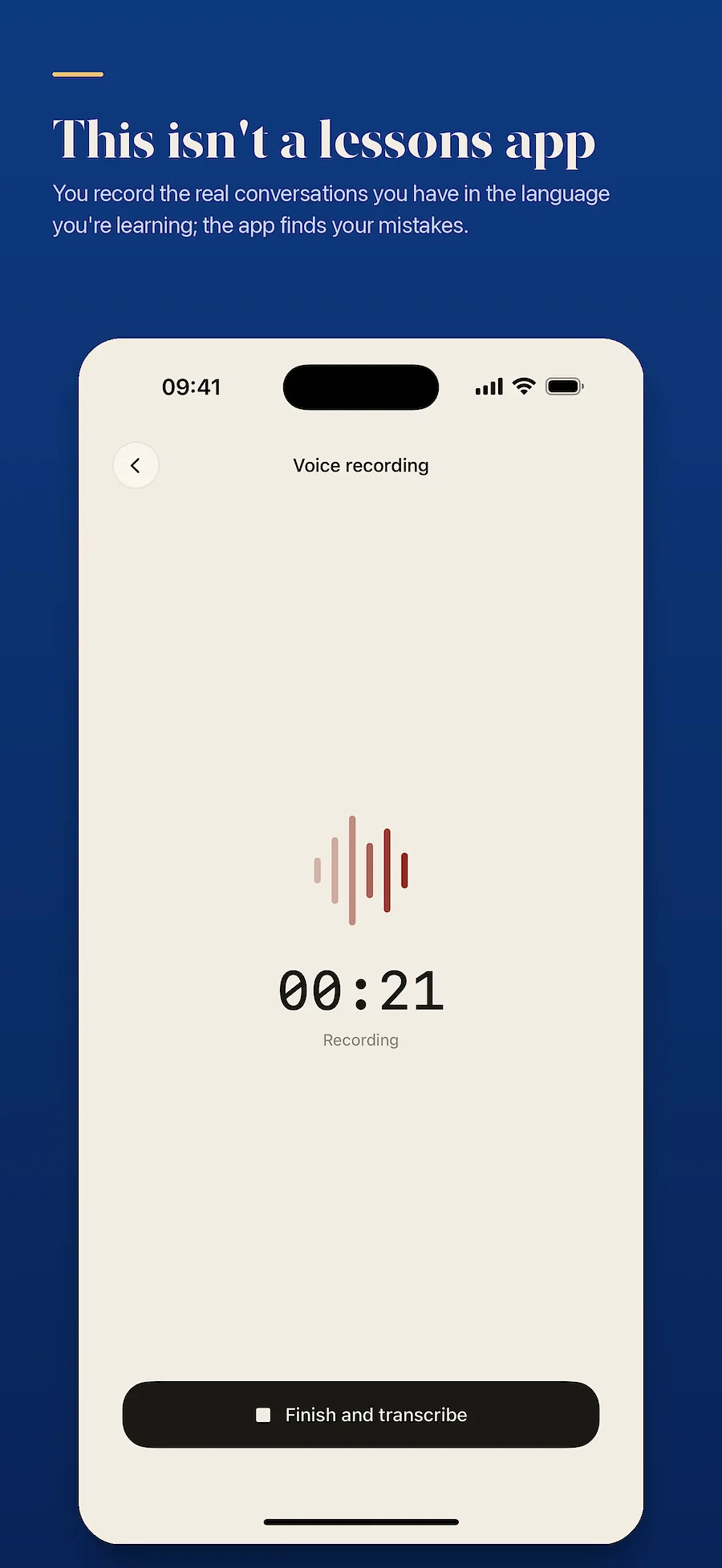
1. You record while you speak
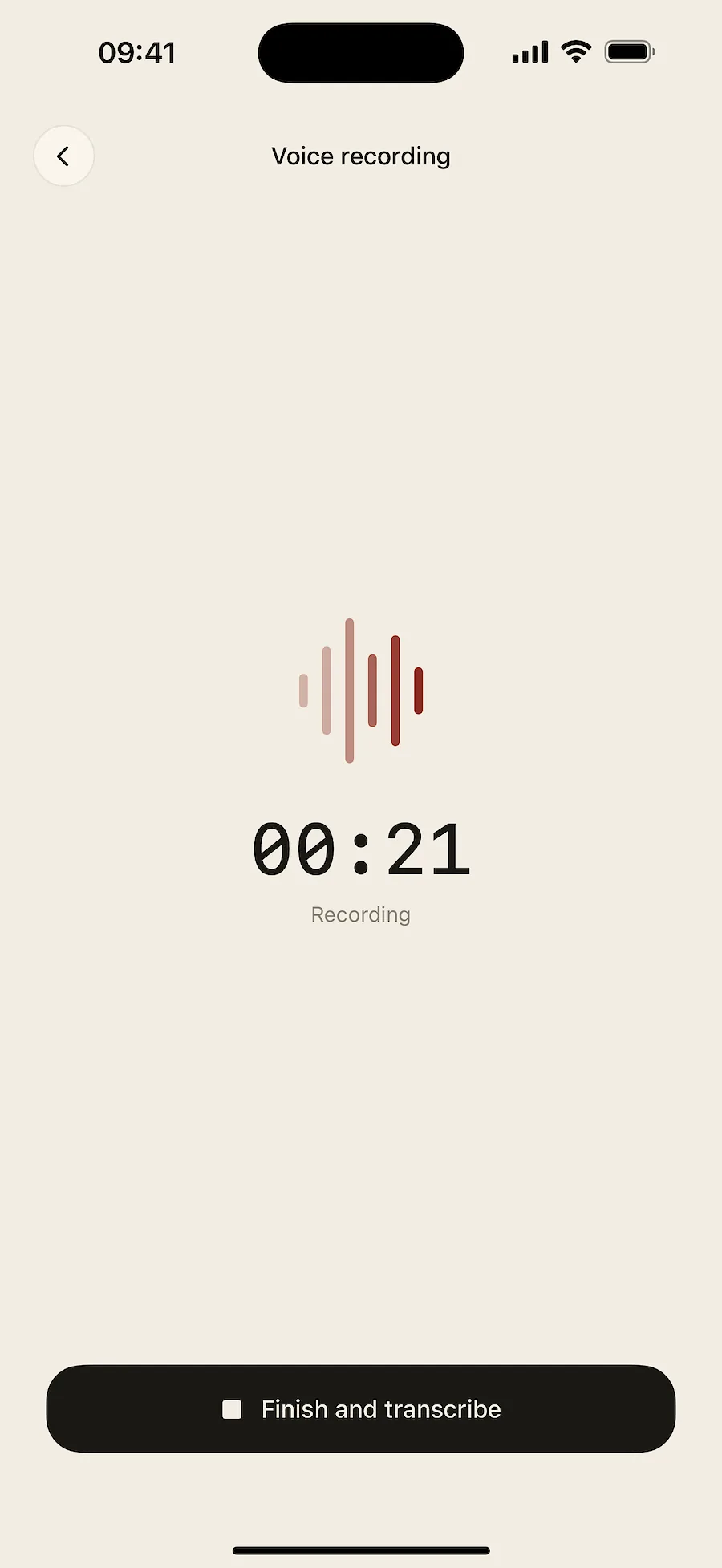
A meeting, a phone call or an everyday conversation. You start the recording and carry on talking. It keeps running in the background.
2. Speech is transcribed on your device
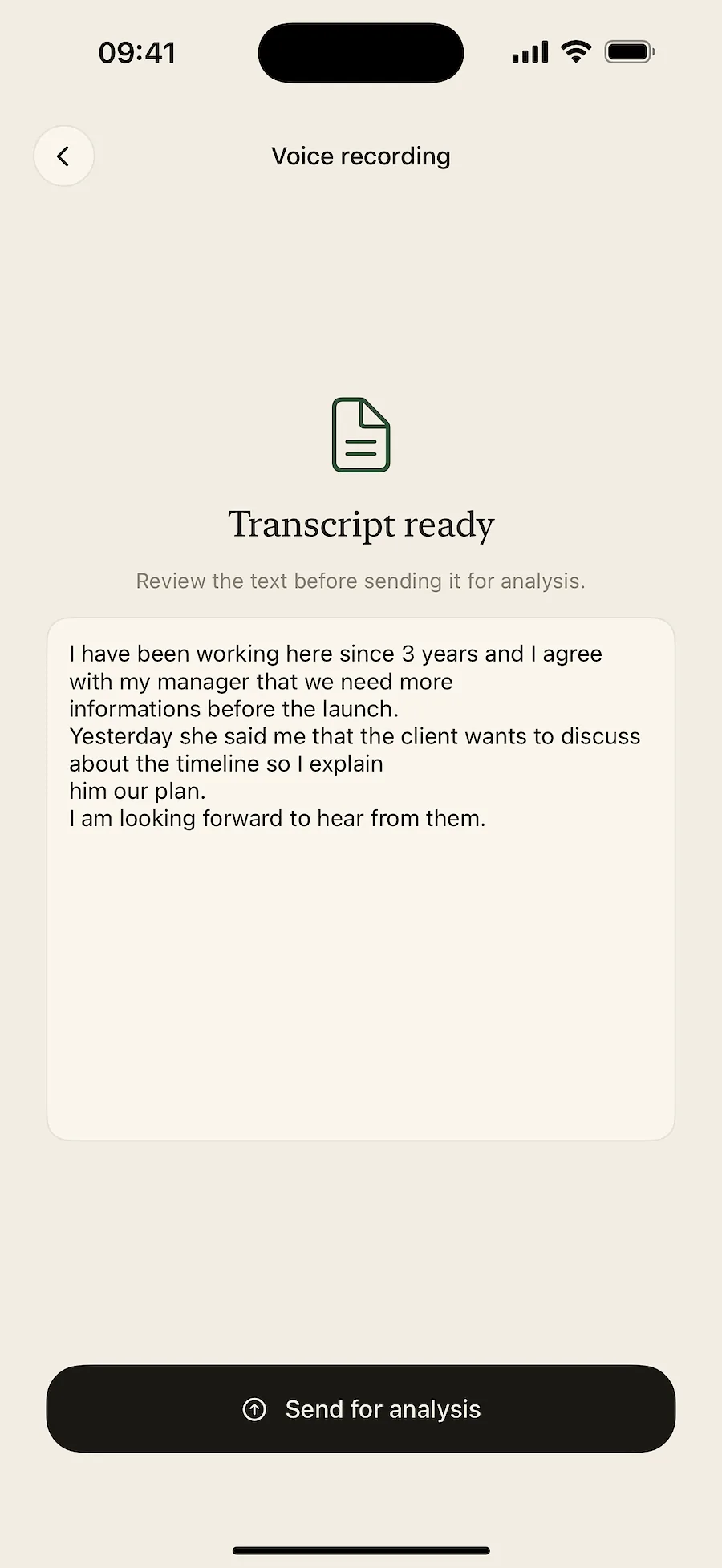
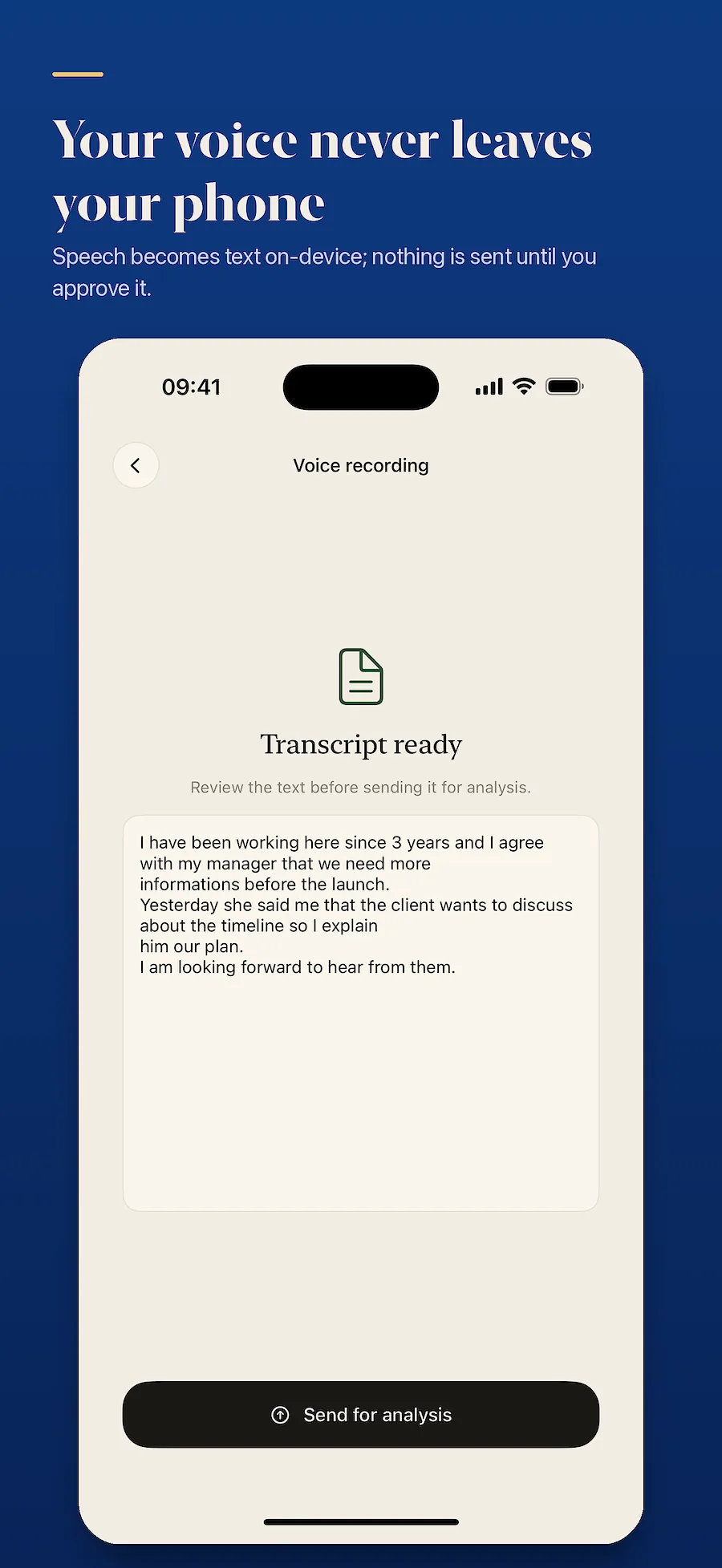
The audio does not leave your phone while it is turned into text. You see the resulting text before anything is sent for analysis.
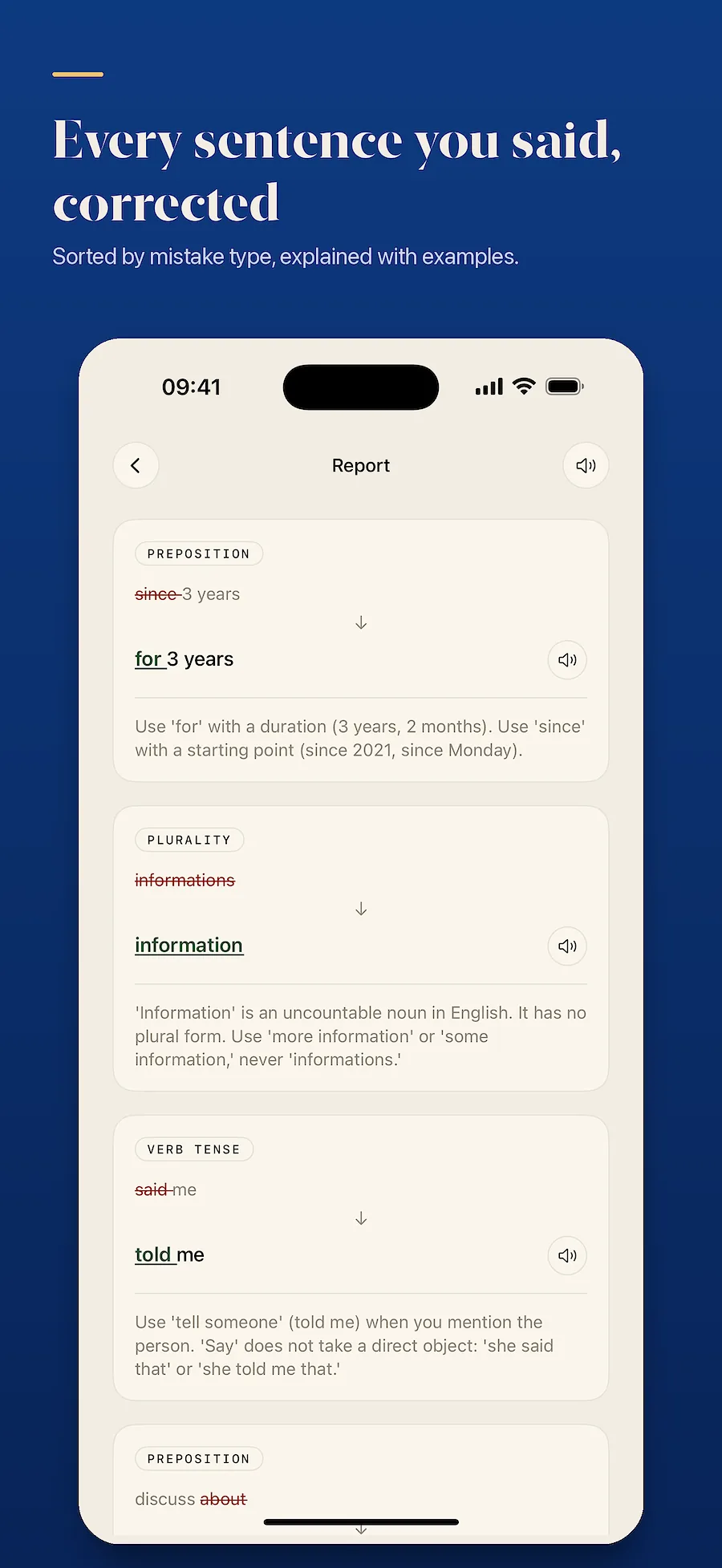
3. Mistakes are listed sentence by sentence
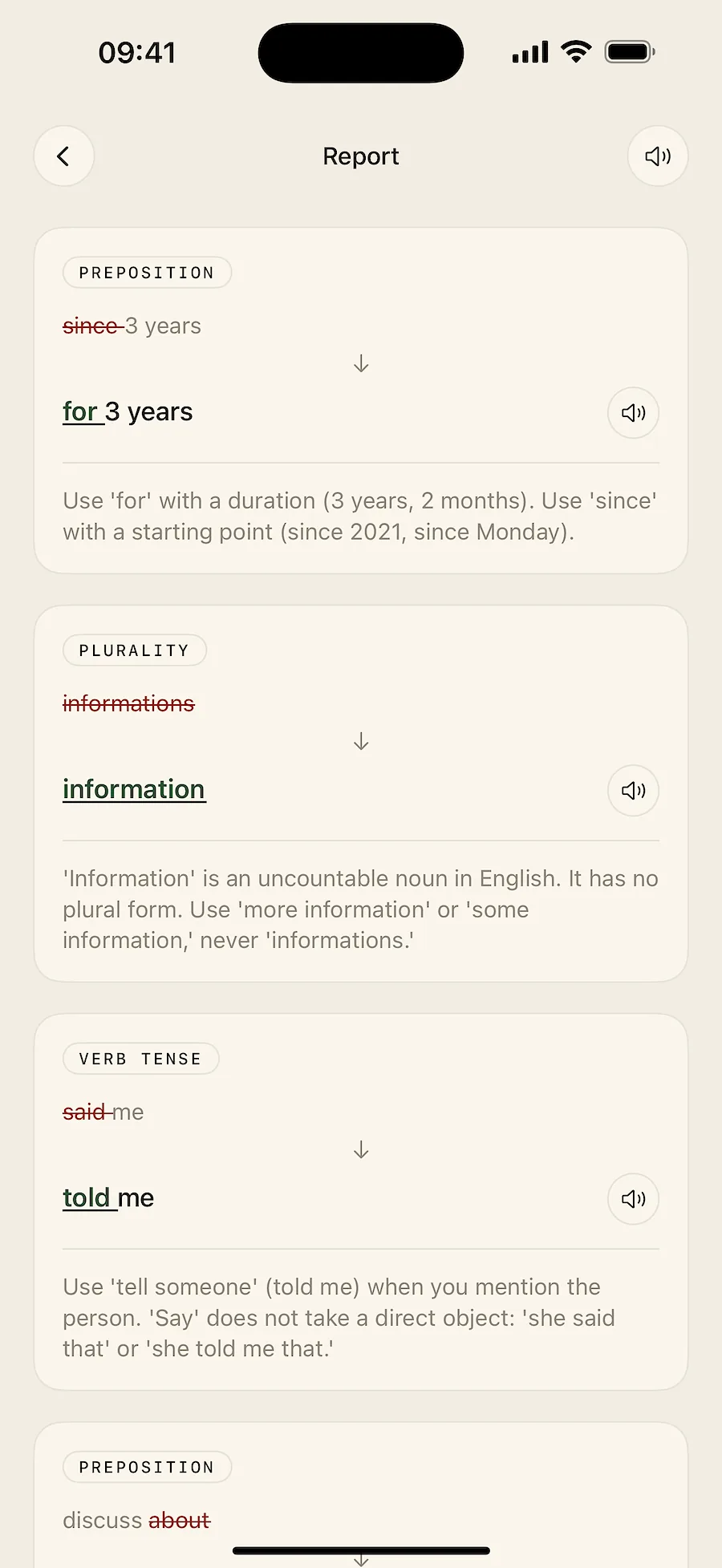
Each one shows what you said, the corrected version and a short explanation. You can hear the corrected sentence read aloud in the target language. Mistakes are grouped by type: grammar, word choice, pronunciation.
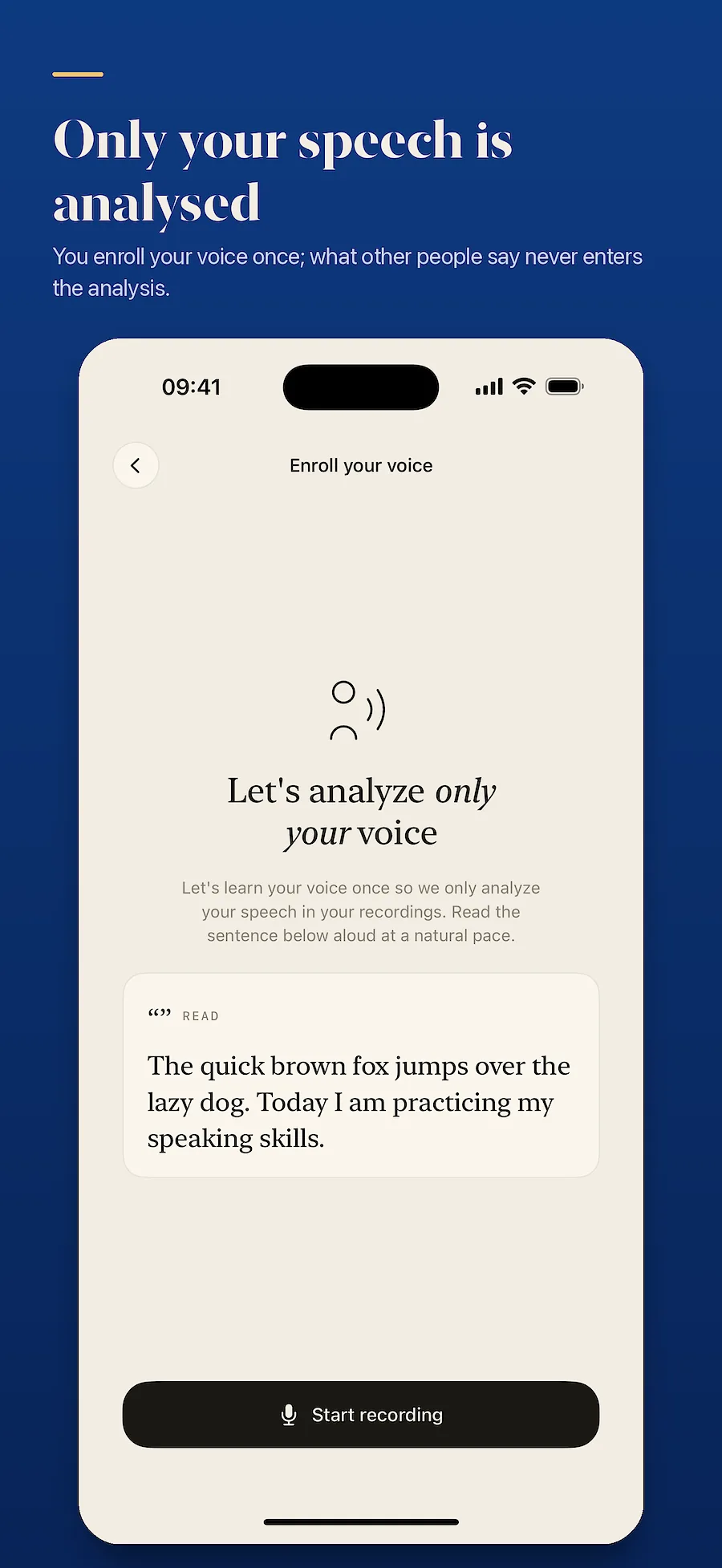
Only your own speech is analysed
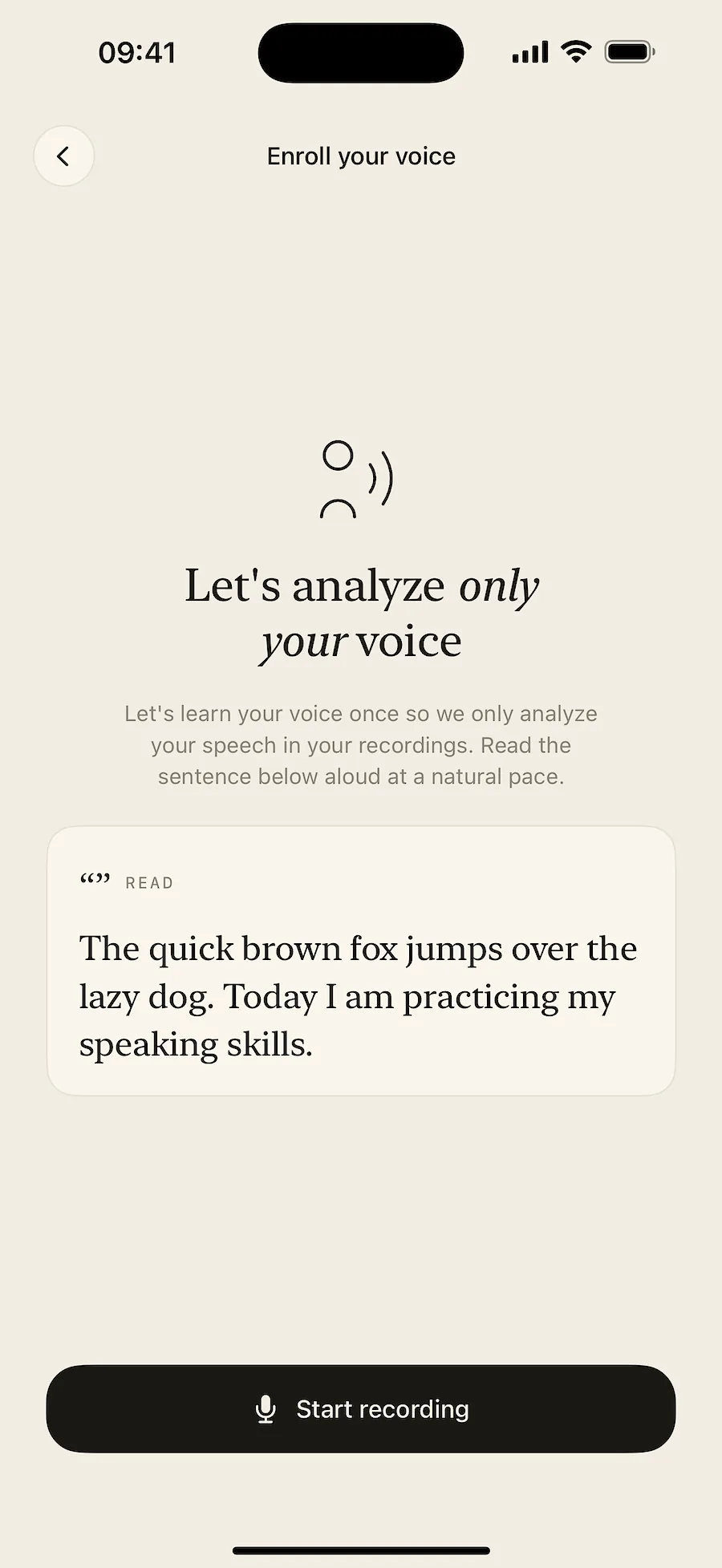
The first time you use it you read one sentence aloud so the app learns your voice. If someone else speaks during a recording, their speech is filtered out and only your sentences reach the report. So when you record a two-way conversation, the other person's mistakes do not end up in your results.
Your audio never leaves the device
Transcription happens entirely on your phone. The raw recording is never uploaded and never stored anywhere. Only the resulting text reaches the server, and you can delete that from the app at any time. Deleting your account removes everything held on the server.
Who uses it
People working with other countries
They record meetings with foreign colleagues or clients and look at their mistakes afterwards.
People living abroad
They already use the language every day, and want to see the mistakes nobody corrects.
People preparing for an exam or interview
They record their speaking practice and track which mistakes keep coming back.
In speaking classes and exams
Students: see every mistake when the class ends
You start a recording as you walk into a speaking club or a conversation class. When it ends, every mistake you made in that hour is listed sentence by sentence. A teacher cannot stop and correct each one during the lesson; the ones nobody corrected show up here too. Only your own speech is analysed, so the other students' sentences do not end up in your report.
Teachers: pull out a student's mistakes in a speaking exam
Before the exam you enroll the student's voice, then record the conversation. The report contains only the student's sentences — your questions are filtered out. You are not taking notes while you examine; the list of mistakes, their corrections and short explanations arrive afterwards. The app does not assign a grade; the judgement stays with you.

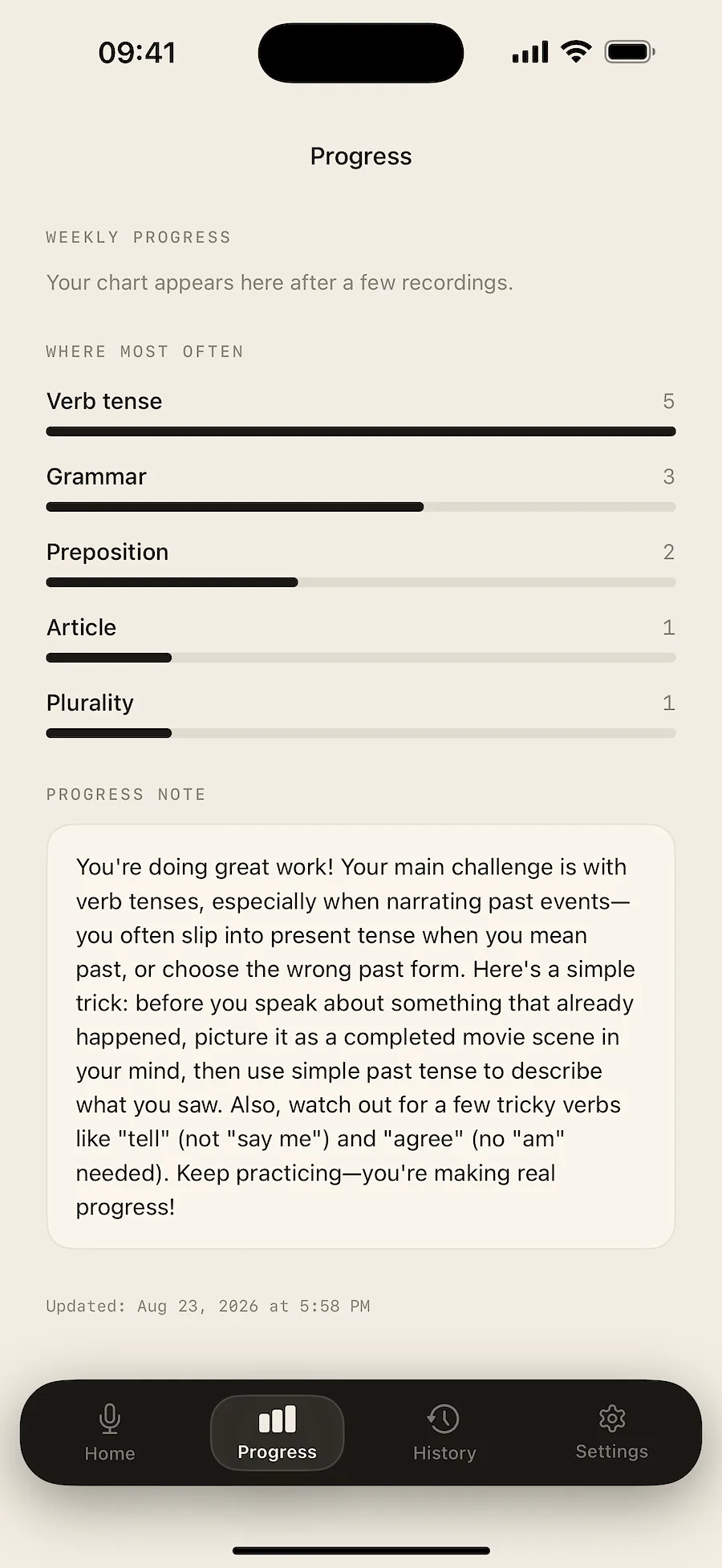
You see which mistakes you repeat
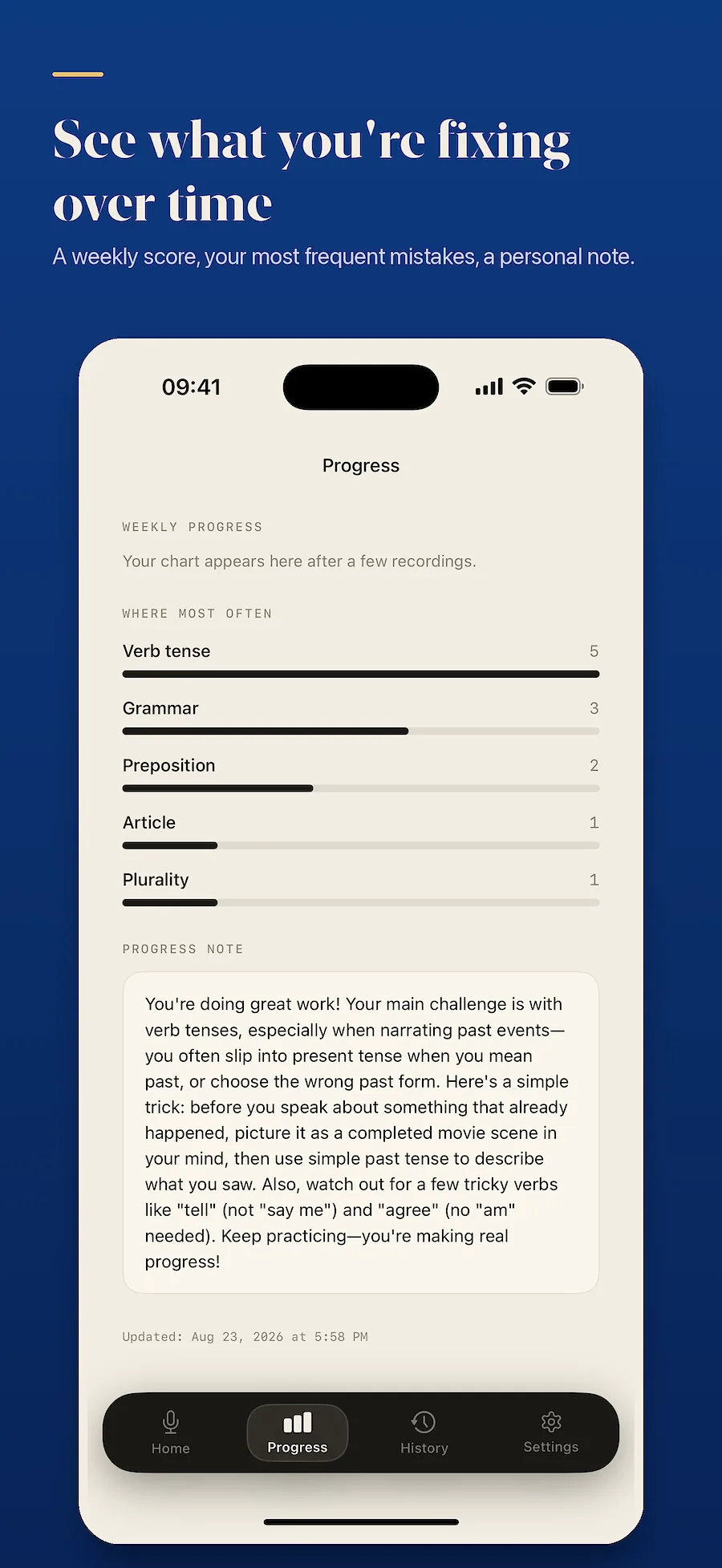
Every analysis is kept in your history. You get a breakdown by error type, a speaking score and a weekly progress note, so you see the recurring mistakes rather than isolated ones.
Languages
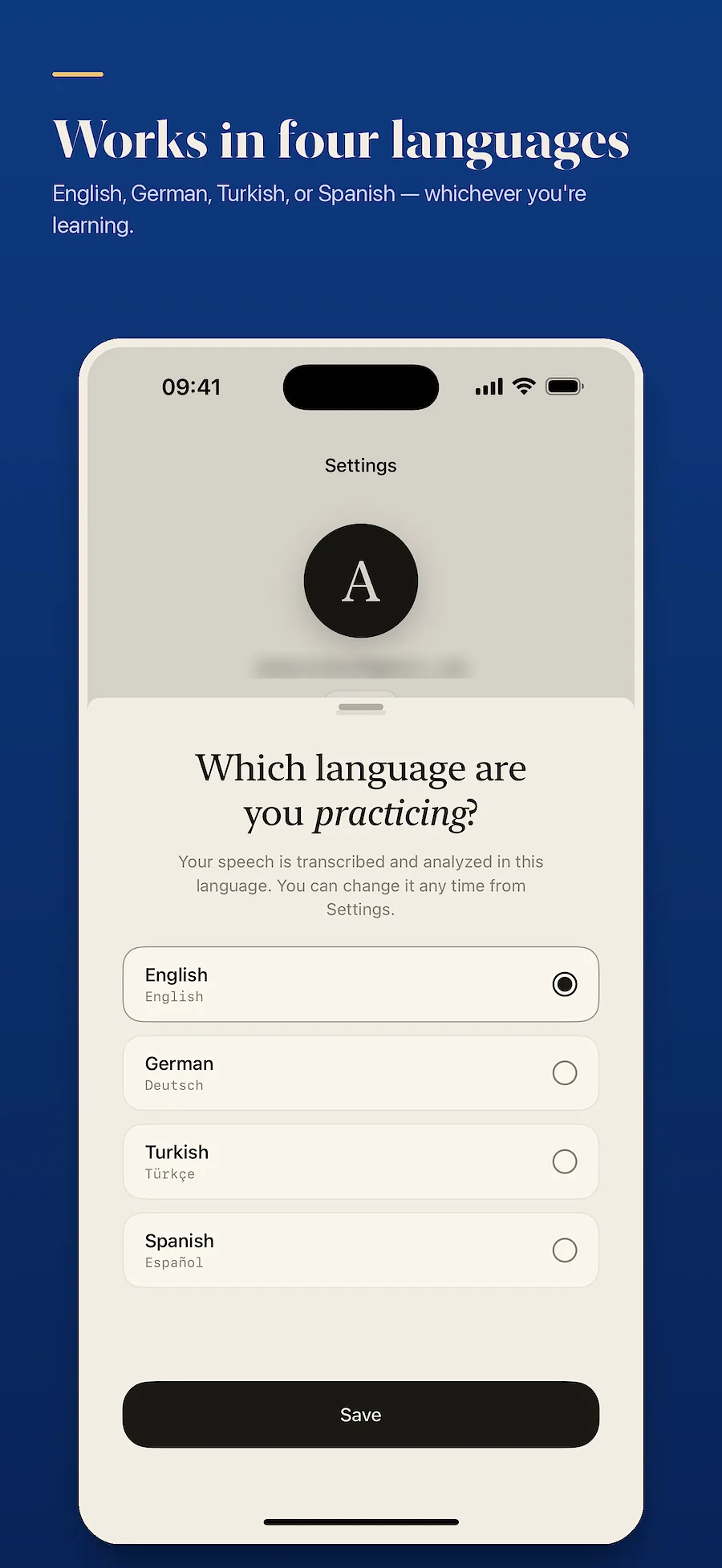
Languages you can practise
English, German, Turkish, Spanish
App interface
Turkish, English, Arabic
Free and Premium
Free
5 minutes of recording a day. You can try it without creating an account.
Premium
120 minutes a day, up to 40 minutes in one session. Monthly or yearly; the yearly plan starts with 7 free days. The price for your country is shown in the App Store.
Screens from the app
Frequently asked questions
Is my audio sent to a server?
No. Speech is turned into text on the device and only that text is sent. The raw recording never leaves your phone.
Do I need an internet connection?
Recording and transcription work offline. Analysing the text needs a connection.
Which devices does it run on?
iPhones running iOS 17 or later. There is no iPad or Mac version yet.
Is the other person's speech analysed too?
No. Once you have enrolled your voice, other speakers in the recording are filtered out and the report contains only your sentences.
Can I try it without an account?
Yes, you get one trial without signing in. Signing in with Apple is needed to keep your analyses and to get a daily allowance.
How do I cancel the subscription?
In the subscriptions section of your App Store account settings. Cancel at least 24 hours before the period ends and it will not renew.
Does it understand any language I speak?
It works with the target language you choose. English, German, Turkish and Spanish are supported today.
iPhone, iOS 17 or later. The free tier records 5 minutes a day.